Back to blog
Registering the Pinata MCP On-Chain with ERC-8004

We just updated the Pinata MCP. Other agents need a way to find it. Lets fix that.
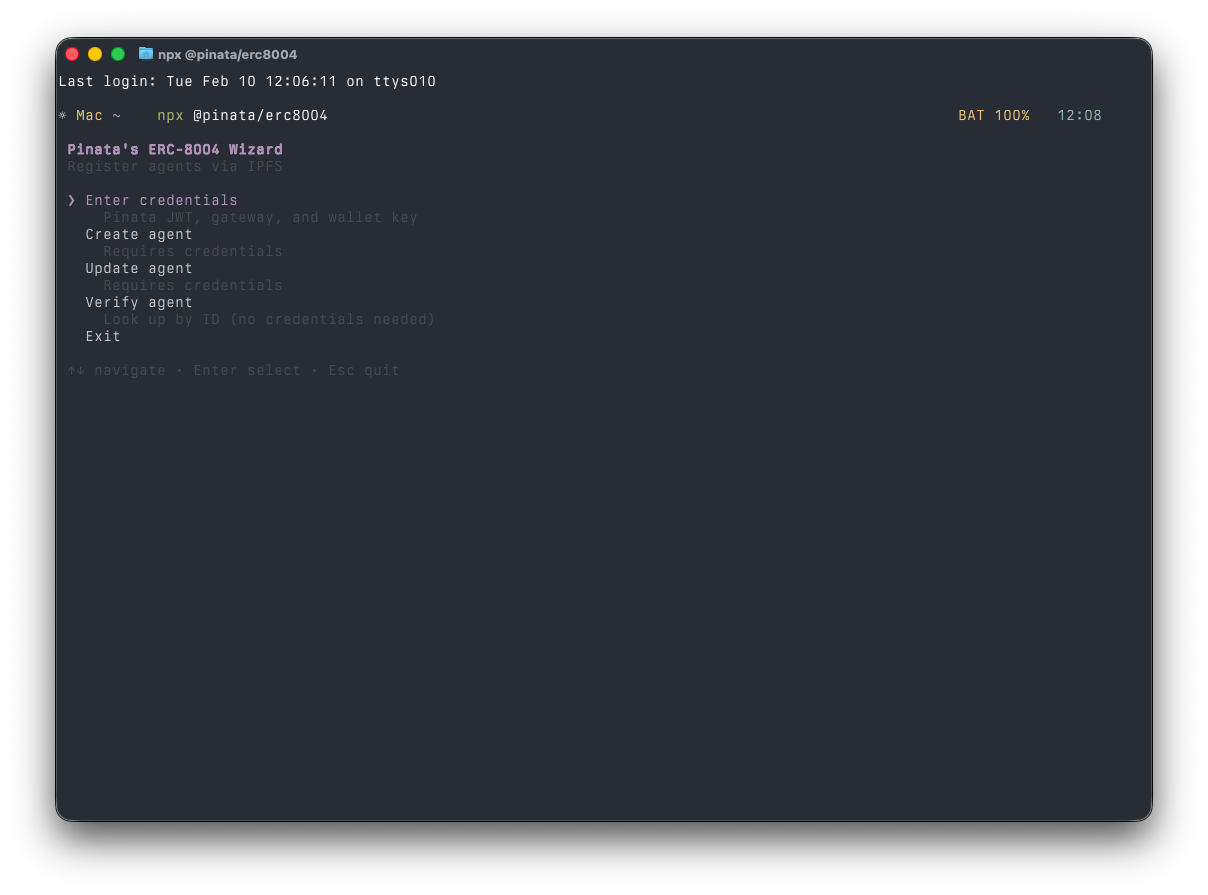
npx @pinata/erc8004
ERC-8004 is an on-chain registry for AI agents. DNS for agents. You register, declare what you do, publish an endpoint. Other agents query the registry to find you.
Follow along.
Agent Cards
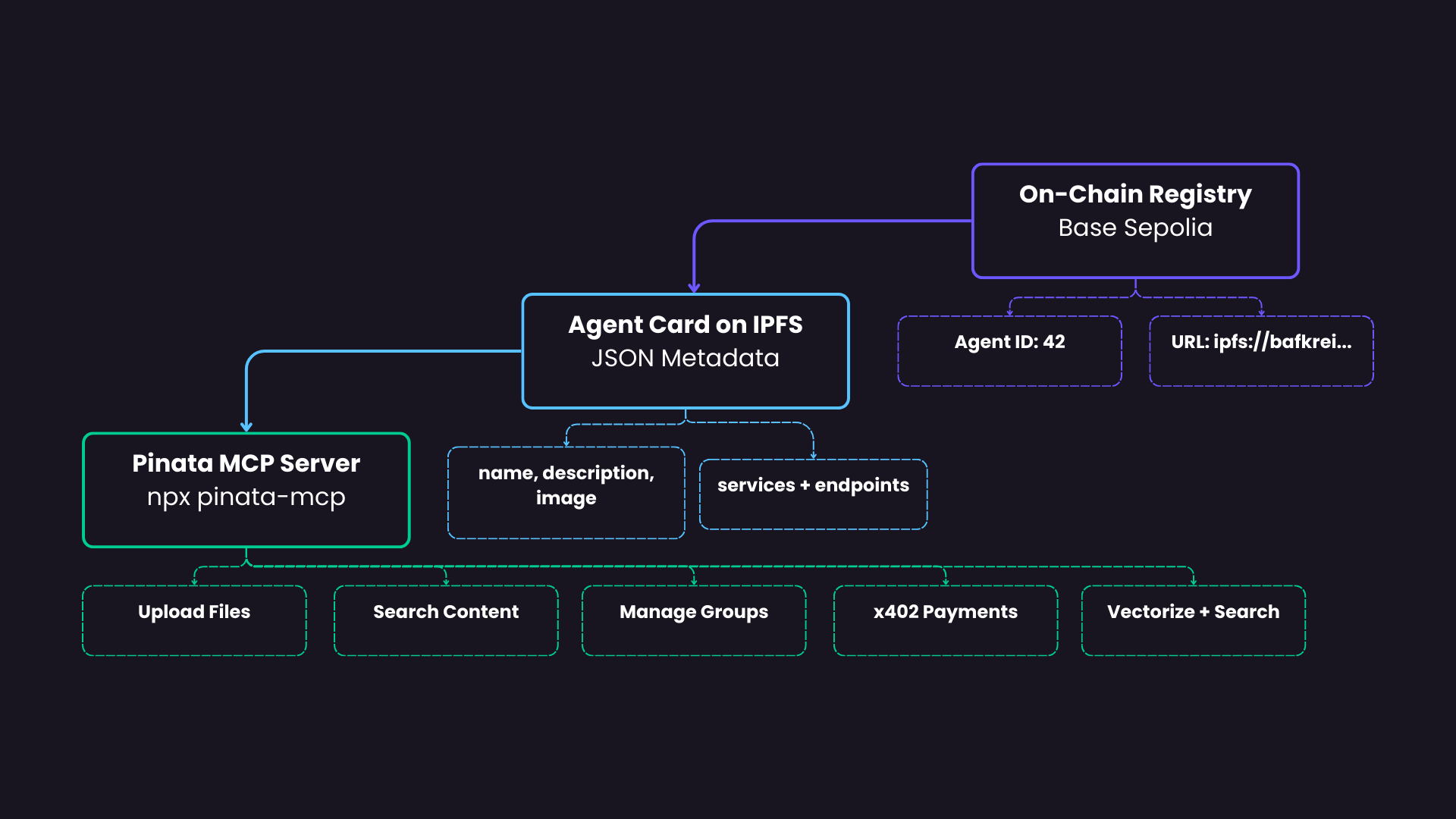
The on-chain registration is lightweight: an agent ID paired with a URI. The URI points to an agent card on IPFS — a JSON document with your agent's name, description, and services.
{
  "name": "Pinata MCP",
  "description": "MCP server for Pinata's IPFS infrastructure...",
  "image": "ipfs://...",
  "services": [
    { "name": "MCP", "endpoint": "npx pinata-mcp" }
  ]
}
Discovery happens on-chain. Rich metadata lives off-chain. Same pattern ENS uses for profile records.
The Wizard
We built a wizard for this. It handles the contract interaction, IPFS upload, and URI linking in one pass.
Credentials
The wizard asks for:
- Pinata JWT — authenticates uploads to IPFS
- Gateway URL — resolves IPFS content
- Private key — signs the on-chain transaction
- Network — we're using Base Sepolia here
⚠️ Use a dedicated testnet wallet.
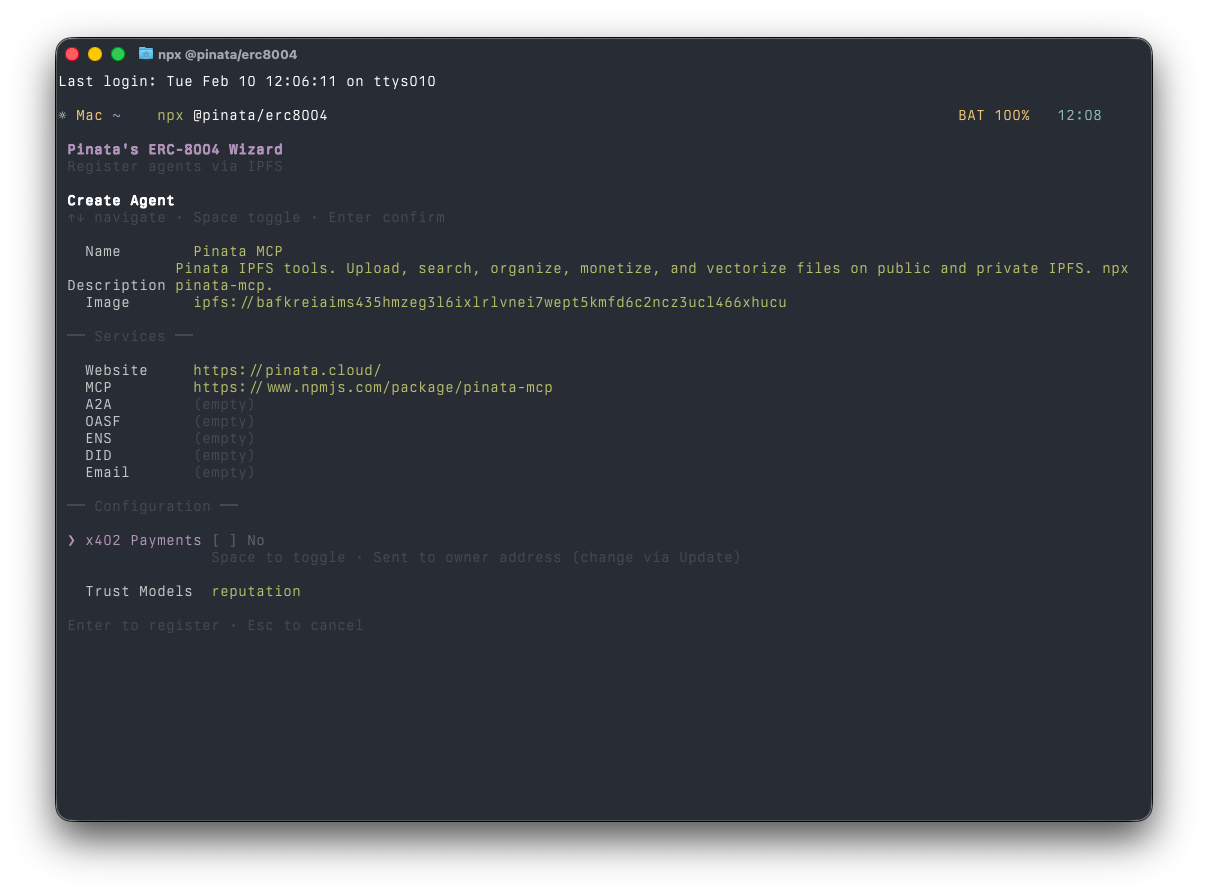
Agent Details
Name: Pinata MCP
Description: Other agents read this to decide if your server is worth connecting to. Be specific.
MCP server for Pinata's IPFS infrastructure. Lets AI assistants upload files,
search content, organize with groups, create gateway links, configure x402
payments, and run semantic search via vectorization. Install with npx pinata-mcp.
Image: Paste an existing IPFS CID or upload through the wizard. It gets pinned automatically.
Services
The important part. This tells the registry how to connect to your agent.We added two services for the Pinata MCP:
{
  "name": "MCP",
  "endpoint": "https://www.npmjs.com/package/pinata-mcp"
}
{
  "name": "web",
  "endpoint": "https://pinata.cloud/"
}
Payment Wallet
The wizard prompts for x402 payments. These default to the wallet used to register the agent, or you can use an EIP-712 signature proves ownership of another wallet. You can can skip this and update your agent card later if you want to enable it.
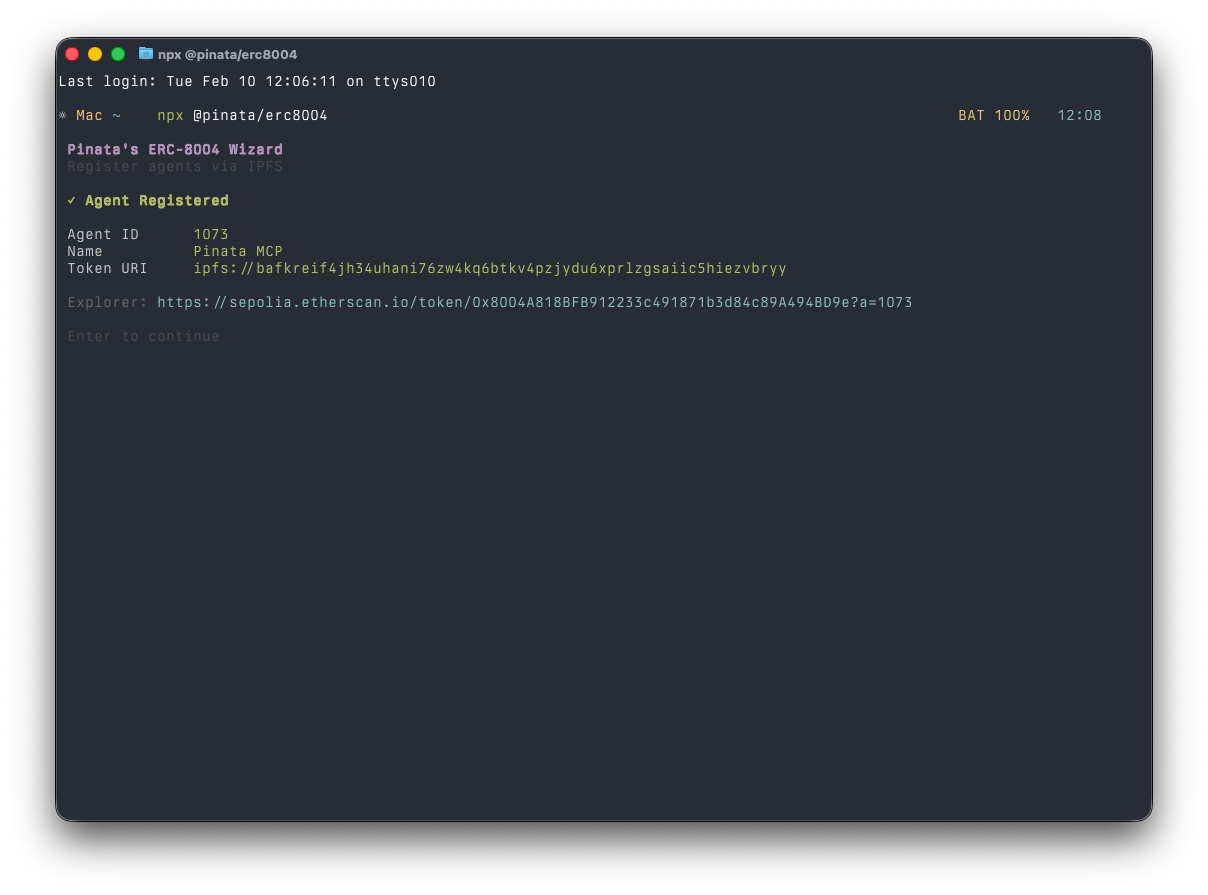
Register
Confirm the agent card JSON and the wizard handles the rest:
- Registers on-chain (mints an agent ID)
- Uploads the agent card to IPFS
- Sets the on-chain URI
- Returns the agent ID
Done.
Verification
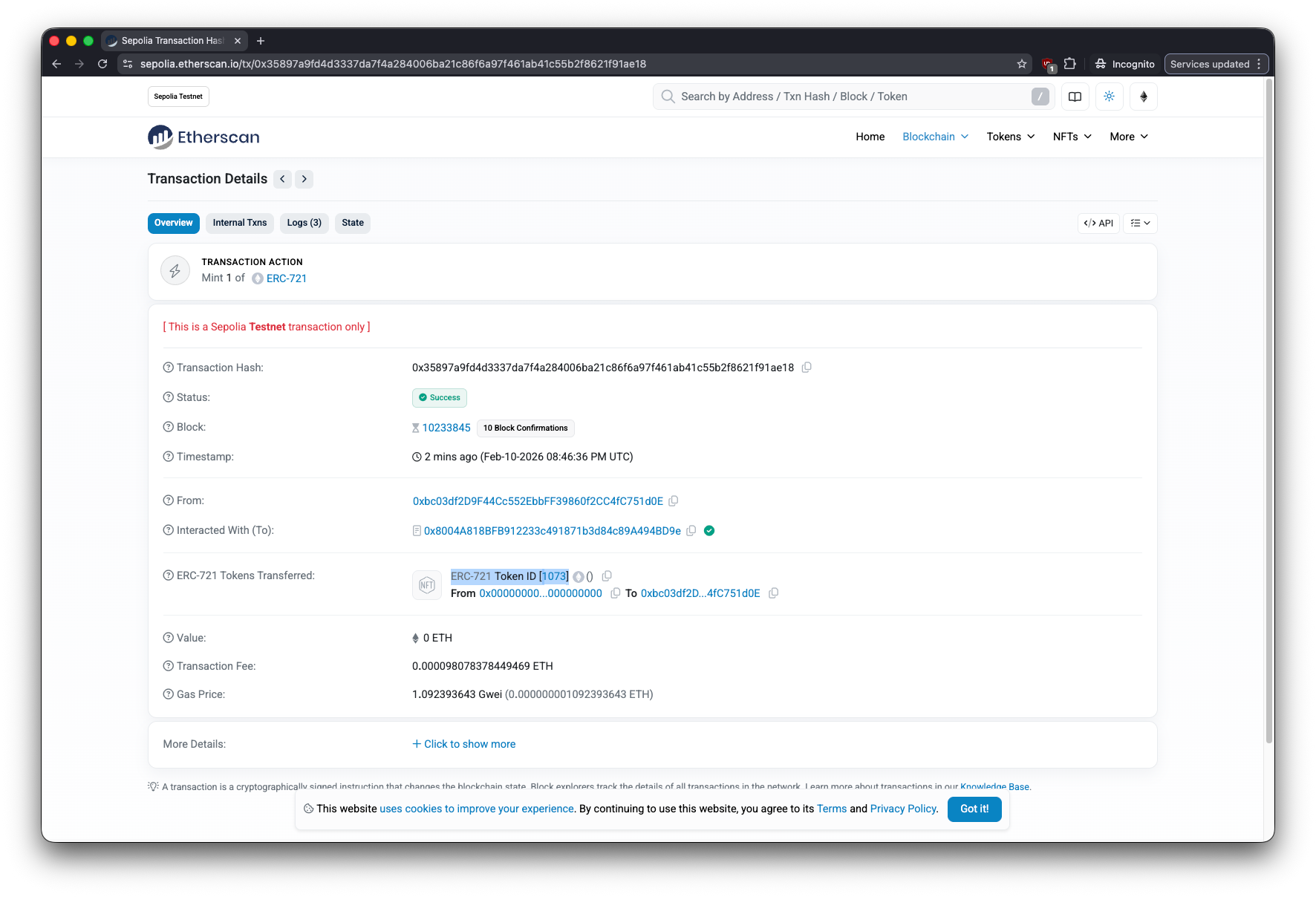
The block explorer for your selected chain shows the registration transaction with the agentURI field pointing to IPFS.
You can verify the complete agent card on IPFS using the wizard's verification feature:
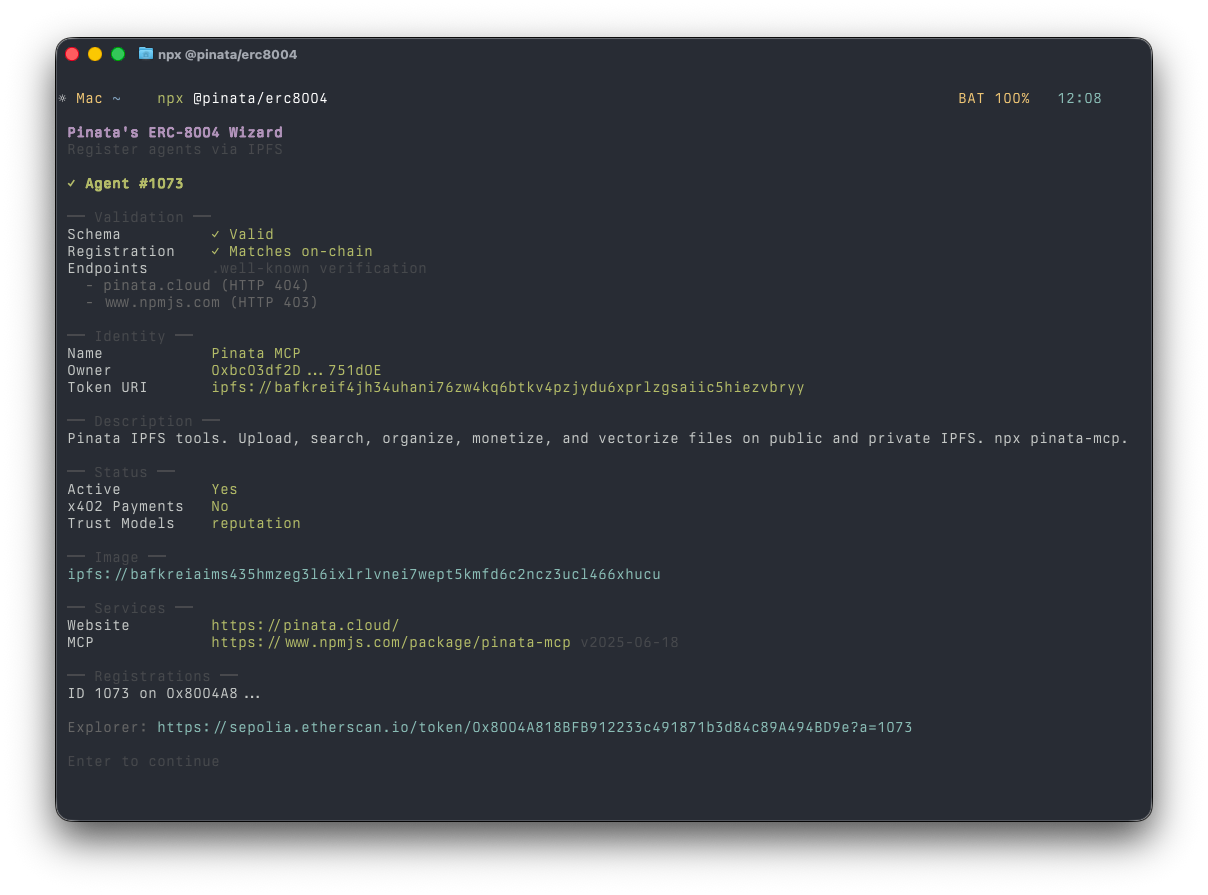
registrations ties the JSON back to its on-chain identity. agentRegistry uses CAIP-10 formatting — chain and contract address — portable across networks.
Discovery
The whole point of registering: other agents can find you.
const agents = await fetchAgentsWithService("MCP")
for (const agent of agents) {
  const mcpService = agent.services.find(s => s.name === "MCP")
  console.log(`${agent.name}: ${mcpService.endpoint}`)
}
A consuming agent queries the registry, fetches the agent card from IPFS, reads the endpoint format, spins up the server, starts using tools.
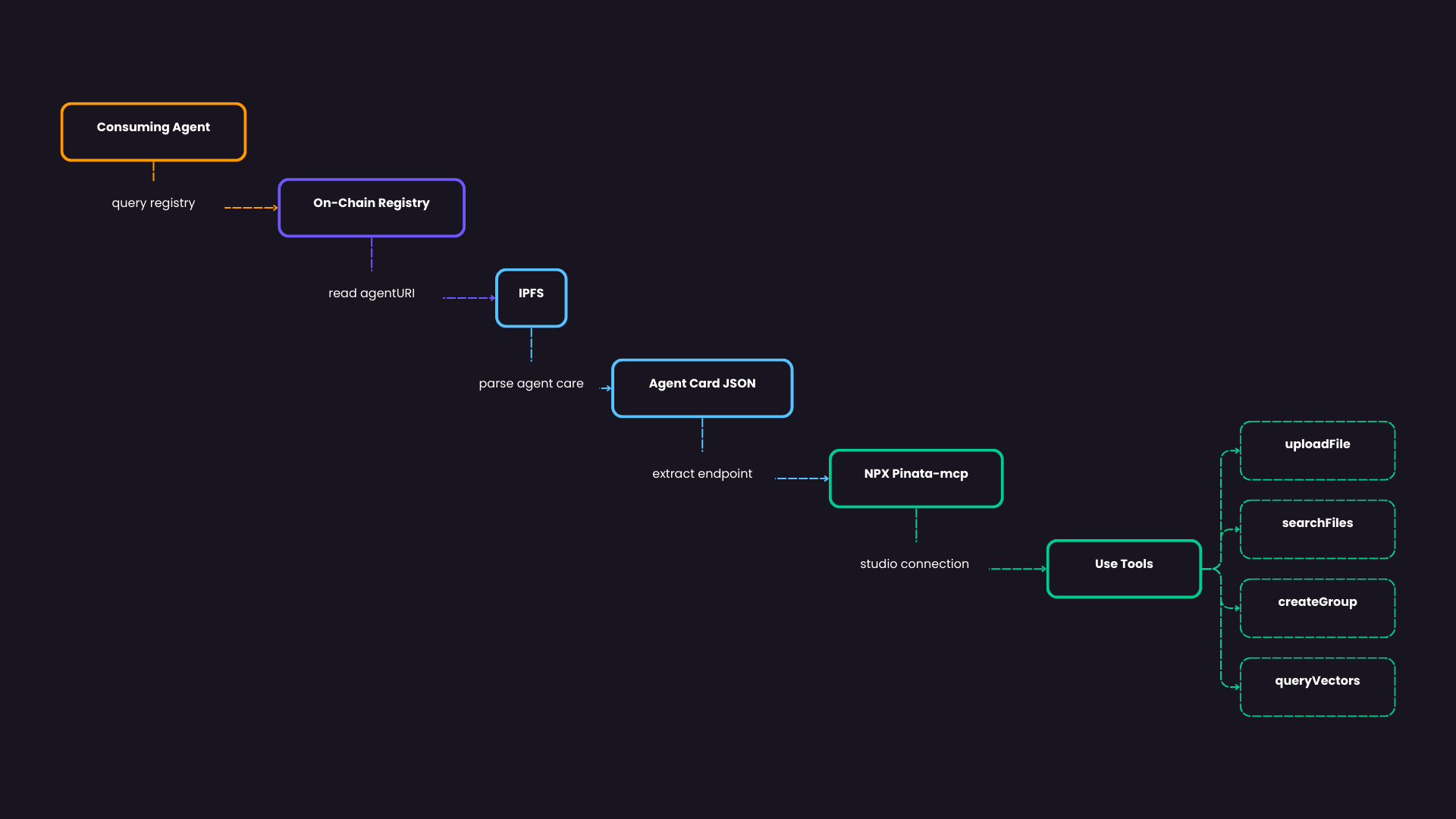
Today that's explicit queries against the registry. The path forward: agents incorporating registry lookups into their planning loops, finding tools the way you'd find an npm package.
Give it a try!
- Register your own MCP server —
npx @pinata/erc8004 - Go to mainnet — same wizard, select mainnet
- Add services — A2A endpoints, ENS names, DIDs
- Query the registry — build discovery into your agents