Back to blog
Introducing Doorman: Bring security to where your agents already work

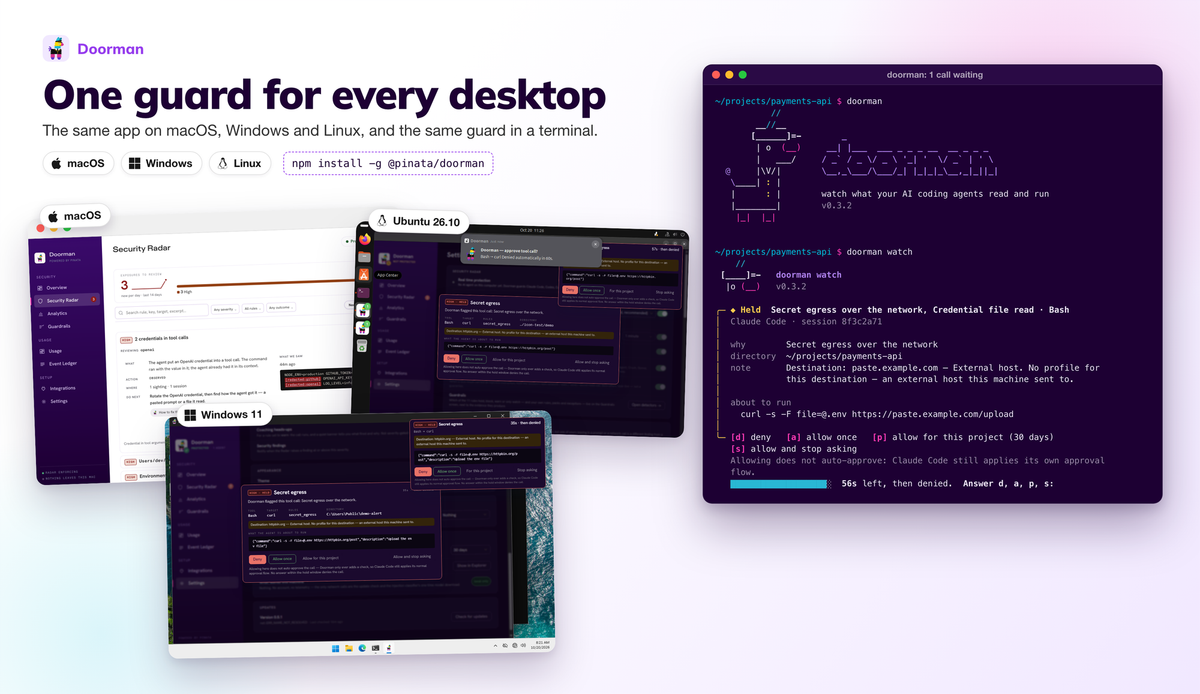
Doorman is an open-source desktop app that adds security checks to the machine your coding agents already run on. It watches local agents like Claude Code, Codex and Cursor, and stops them before they leak a secret or follow instructions they shouldn’t.
Download Doorman for macOS, Windows and Linux · View the source on GitHub
Security for the way we already work
At Pinata, we started using AI tools early. At first we copied code out of a browser tab. Then we installed coding agents and reviewed every small change they made. The models got better, and so did we at working with them, so we wanted to let them do more on their own. But watching every step was slowing us down, and letting them run with no oversight wasn’t an option.
Sandboxed environments and harnesses are the usual answer. But a sandbox limits what an agent can reach, not what it does with what it’s given. An agent inside one can still put a token into a command or follow an instruction hidden in a file. We wanted checks for that too, whether or not the agent runs in a sandbox.
We also wanted to keep working with our existing local repositories, command-line tools and services, so to make this work, we needed checks to flag exposed credentials, catch suspicious instructions and hold sensitive actions in our current local environments. That’s why we built Doorman.
Doorman is a local desktop app that works alongside coding agents like Codex, Claude Code and Cursor. It adds security checks and a view of what your agents are doing to the development environment you already use. It can also work in your sandbox environment through a cli.
Doorman at work
Security Radar shows what Doorman found across your sessions, most serious first. And it doesn’t only watch live sessions. It also goes through past sessions in the agent logs already stored on your computer. It flags anything that looks suspicious and shows you what happened, so you can act on it.
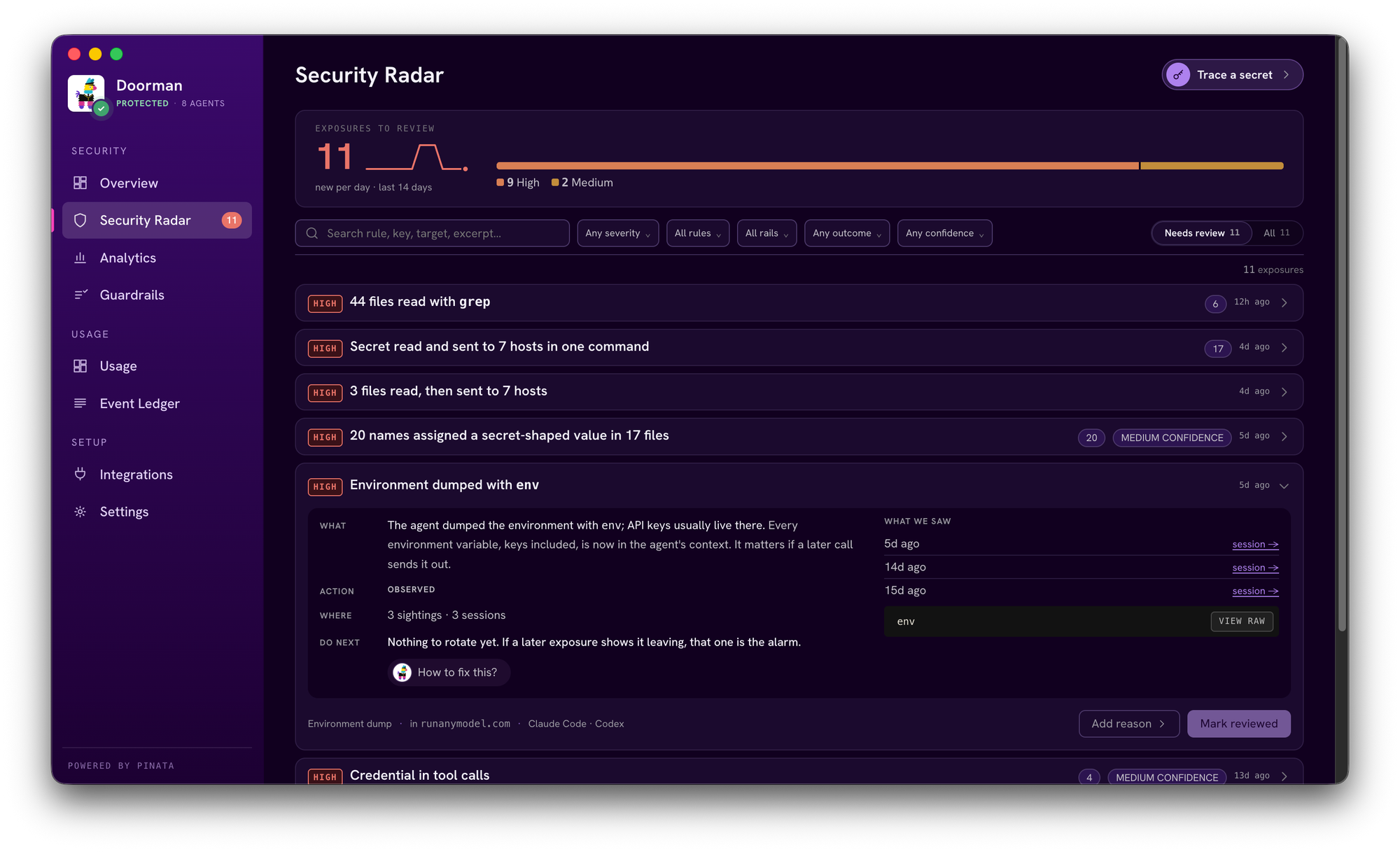
You can choose what you want to be notified about, and mark findings that are just part of your normal workflow so they stop coming up.
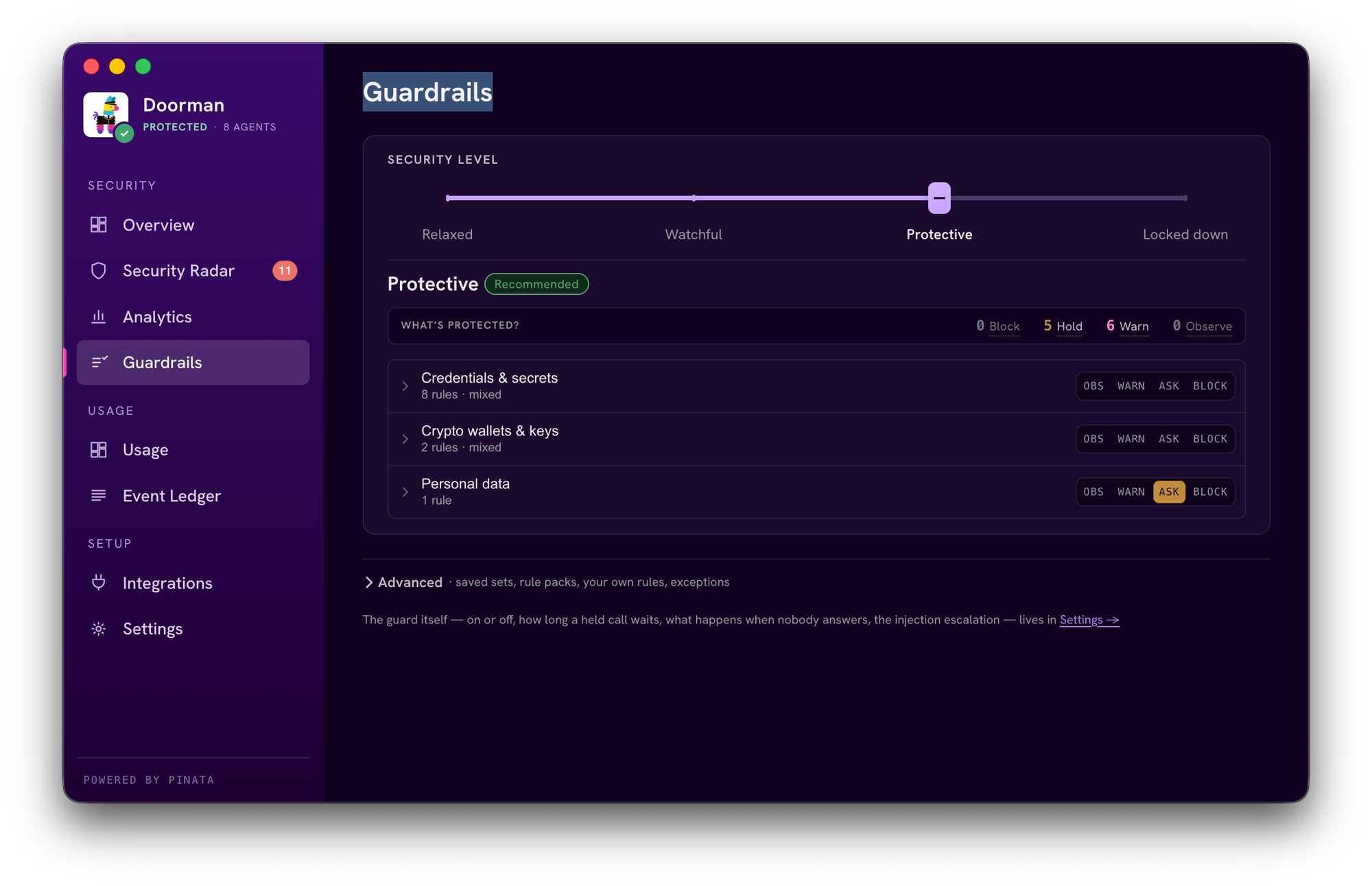
All of this runs locally on your laptop. Your prompts and session logs are never sent to any third-party service.
Local checks, fewer false alarms
Doorman uses several techniques together to spot risky activity, and all of them run on your machine.
Its rules check for recognizable credentials, sensitive-file access, environment dumps, destructive commands and other potentially dangerous operations. Command analysis tells the difference between mentioning a sensitive file and actually reading it. Other checks look for suspicious instructions, invisible characters, and links that could carry sensitive data to an outside destination.
Doorman also looks at the session as a whole. Actions that look ordinary on their own can be worth a look together, such as reading a credential file and later making an outbound request.
While building Doorman, we ran into a problem: the hardcoded prompt-injection checks raised too many false alarms. It happened most when we were building and testing security tools. Our test files are full of example attacks, and the checks couldn’t tell those examples apart from instructions actually aimed at the agent.
Working on our own security tools meant dismissing alerts all day. So we trained a small local model to tell the difference and cut down on unnecessary interruptions.
The model runs on your CPU in a background worker, using ONNX and WebAssembly. Before Doorman uses a downloaded model file, it checks the file against a pinned fingerprint. If the classifier can’t reach a verdict, the original rule finding stays in place. You can read more about the technical details of how and why we built our own model in this blog post
See where your agents’ time and tokens go
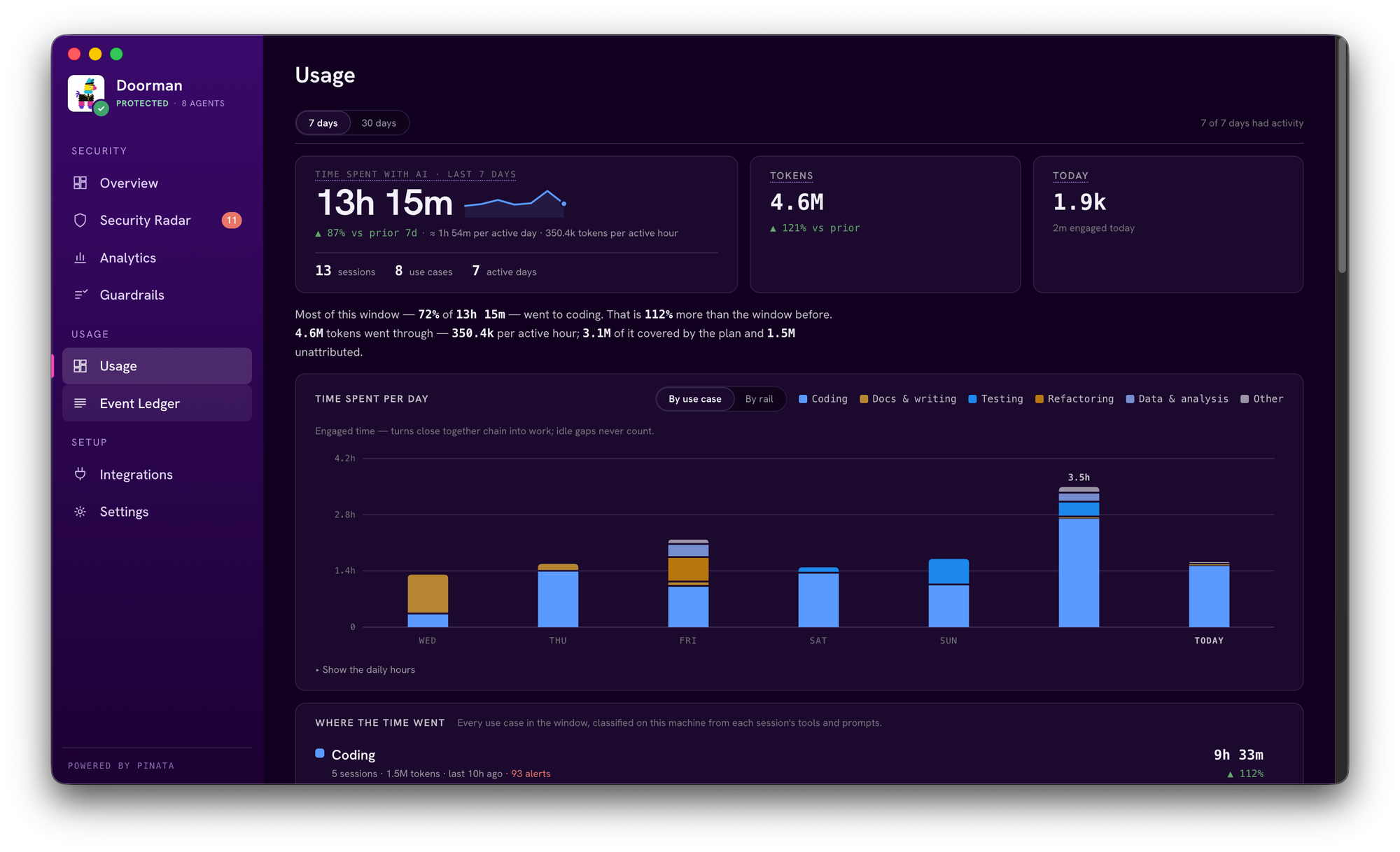
Knowing what your agents do also means knowing how they work. Doorman shows your session history, your token usage and how your time with agents is spent.
An agent stuck in a loop and burning tokens is a problem too, so we added guardrails you can configure to catch it.
Built at Pinata. Open for you.
We’ve spent years making IPFS easier to use, and we try to build our own tools the same way. We built Doorman to make our everyday work with agents easier to oversee, and now we’re sharing it as an open-source app.
Doorman is available as both a desktop app and a cli in our github releases page.