
Back to blog
How to Back Up Your IPFS NFTs Using Pinata's NFT Backup

Uh oh! One of your favorite NFT platforms has announced it’s shutting down. How are you going to make sure your NFTs stay alive and trading? Don’t worry, we got you!
Today, Pinata is launching its NFT Backup feature which makes it easy to back up any NFT you own that uses IPFS. This post will show you how to easily back up your IPFS NFTs with a paid Pinata plan.
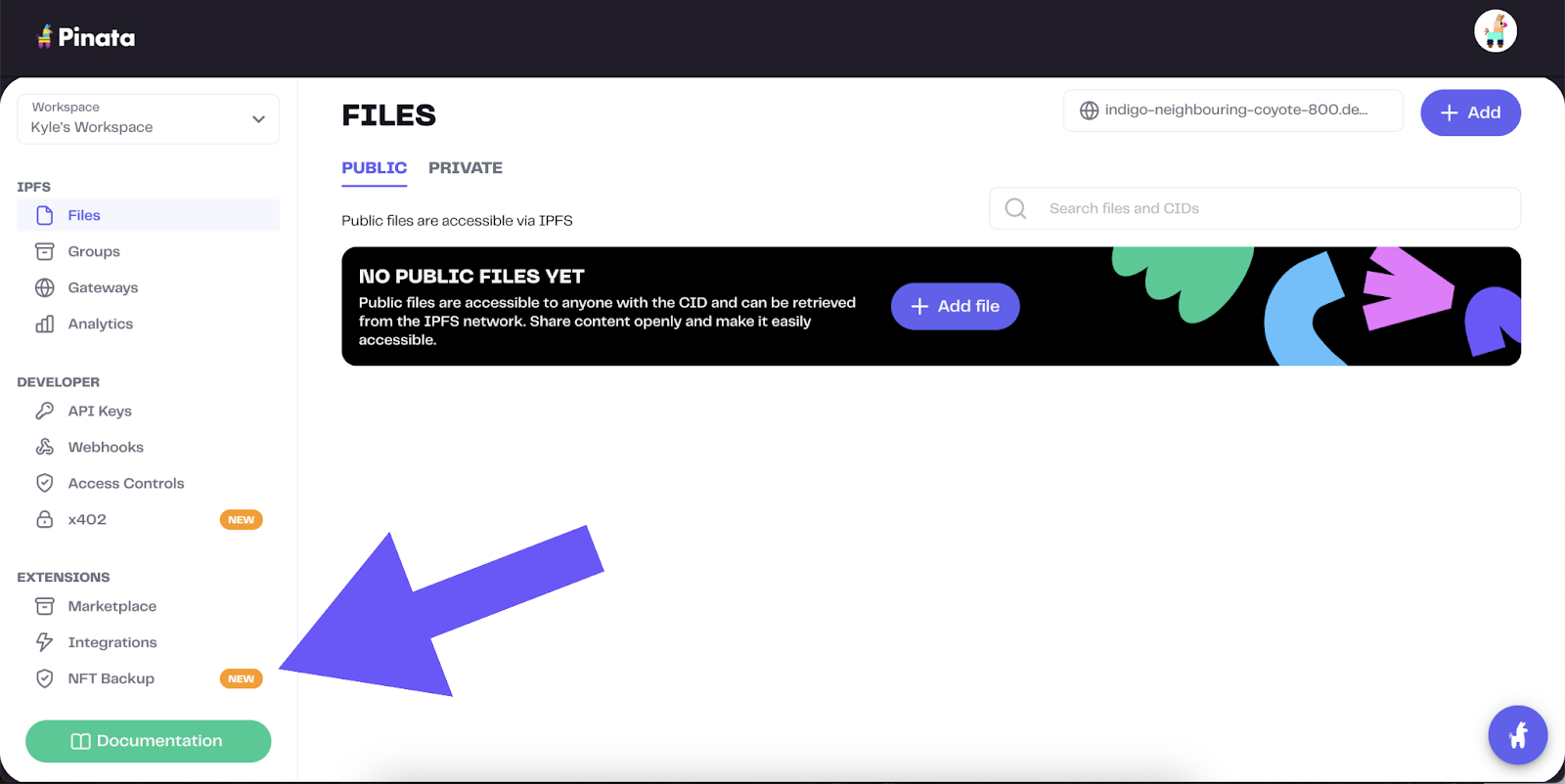
Once logged in, you’ll see an “NFT Backup” feature on the left-hand menu, highlighted by the purple arrow below. Click that.
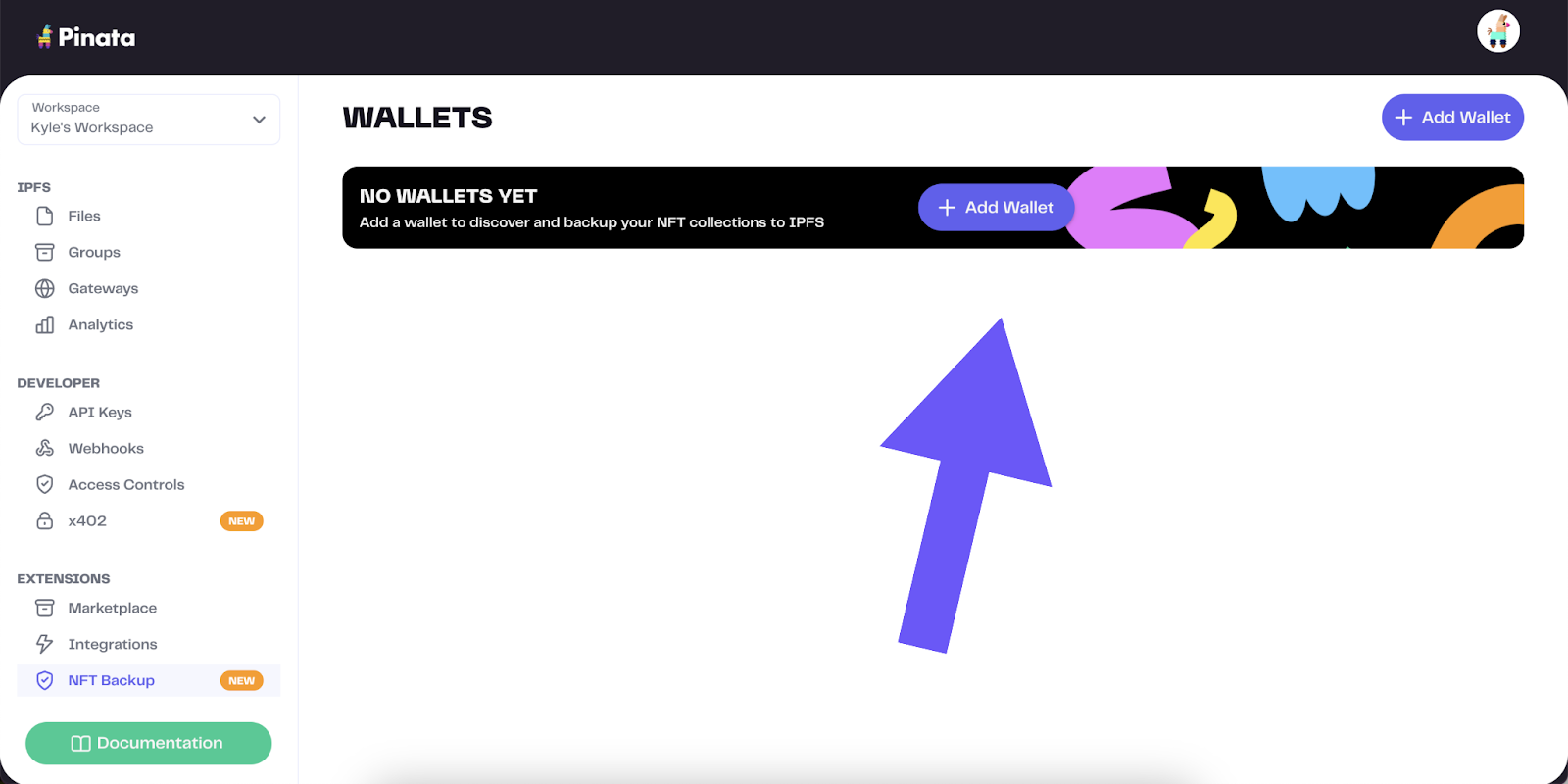
Once you have clicked “NFT Backup”, you’ll want to click “Add Wallet”. This will launch a modal for you to insert the wallet you want to back up.
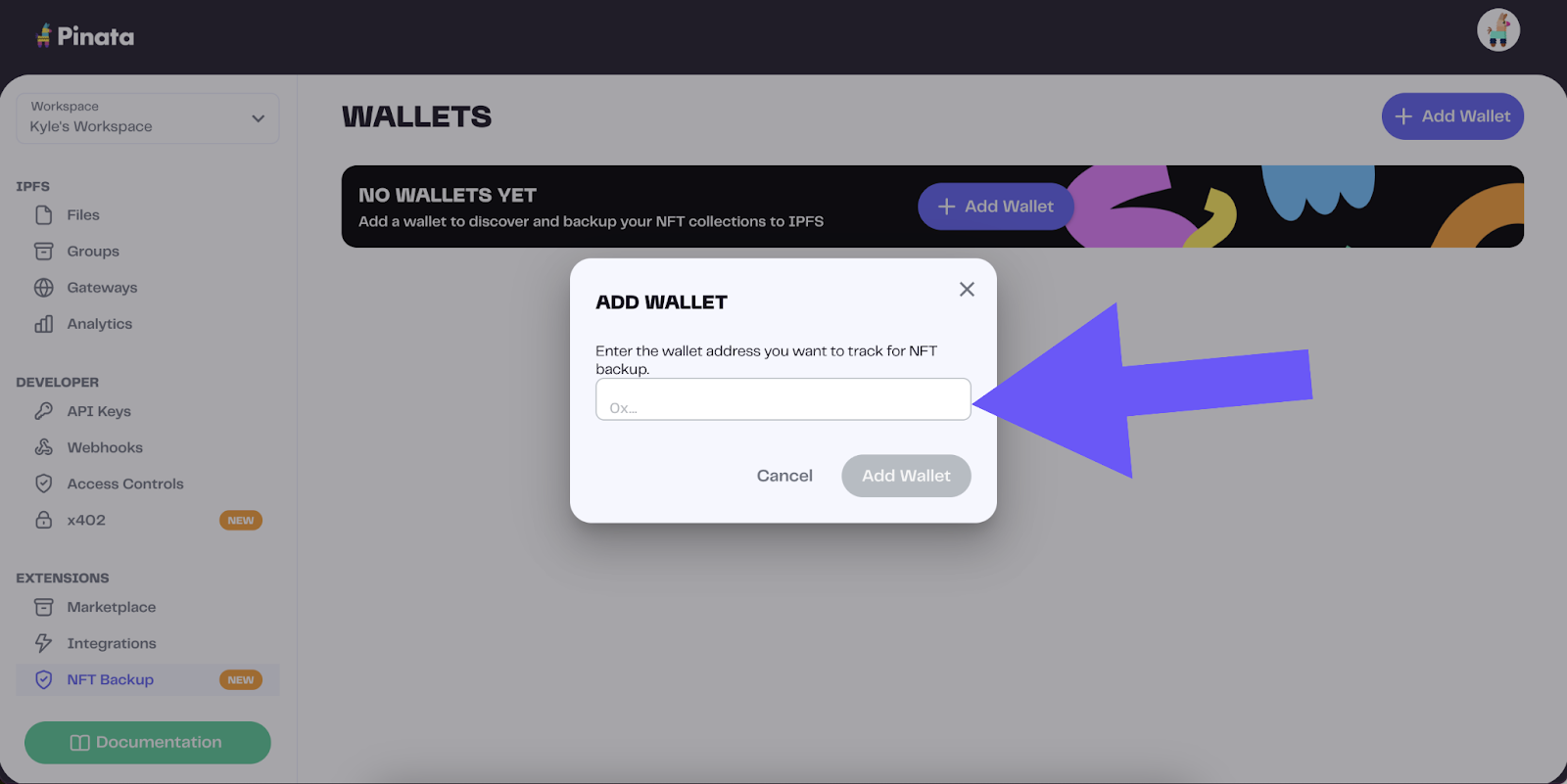
Simply copy the public wallet address that you want to back up and paste it in. Once pasted in, click “Add Wallet”.
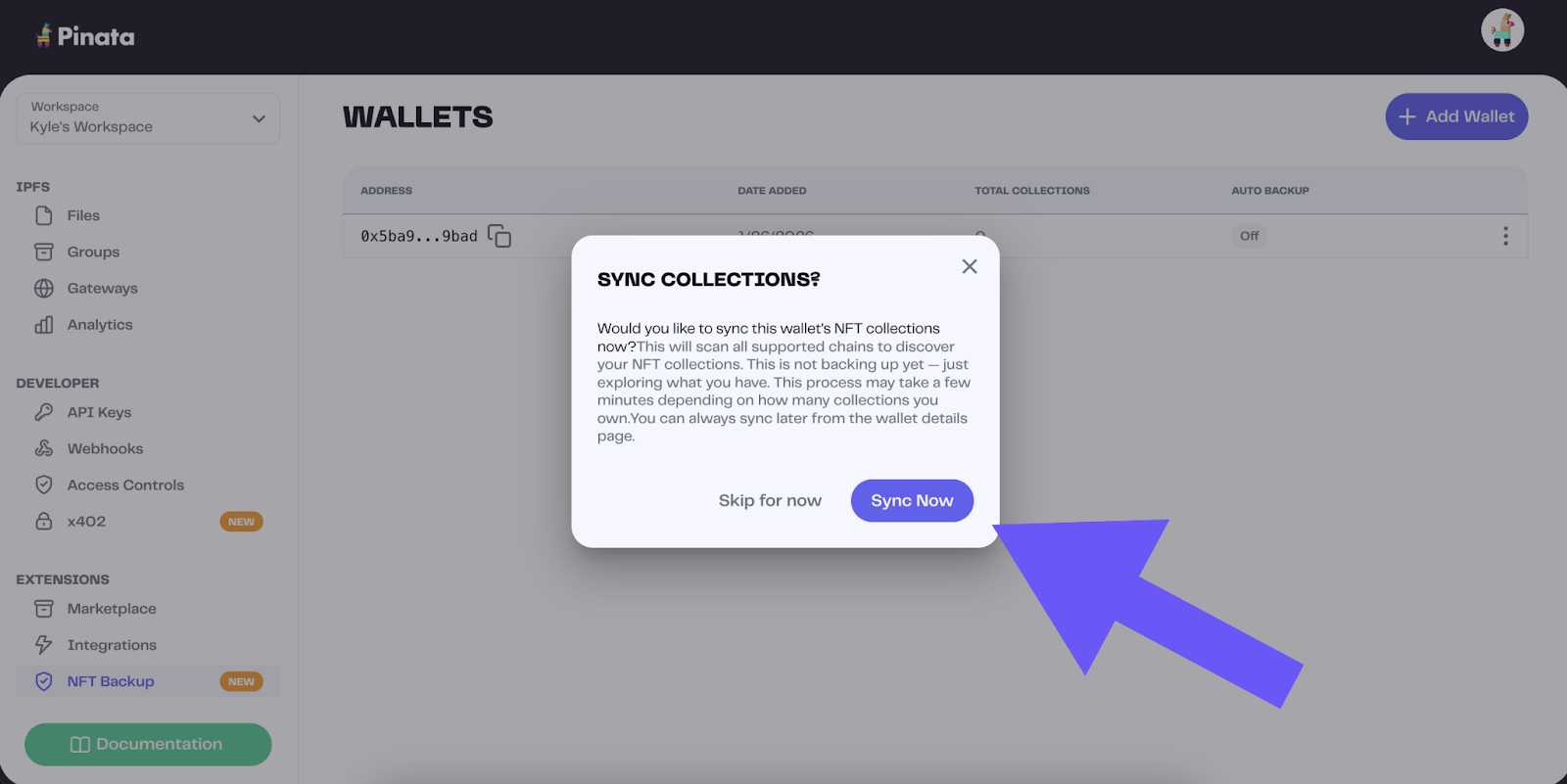
You will next be asked if you want to sync your collection. It’s highly recommended that you do. This will automatically scan your wallet across most chains to find your NFTs to back up. Click “Sync Now”.
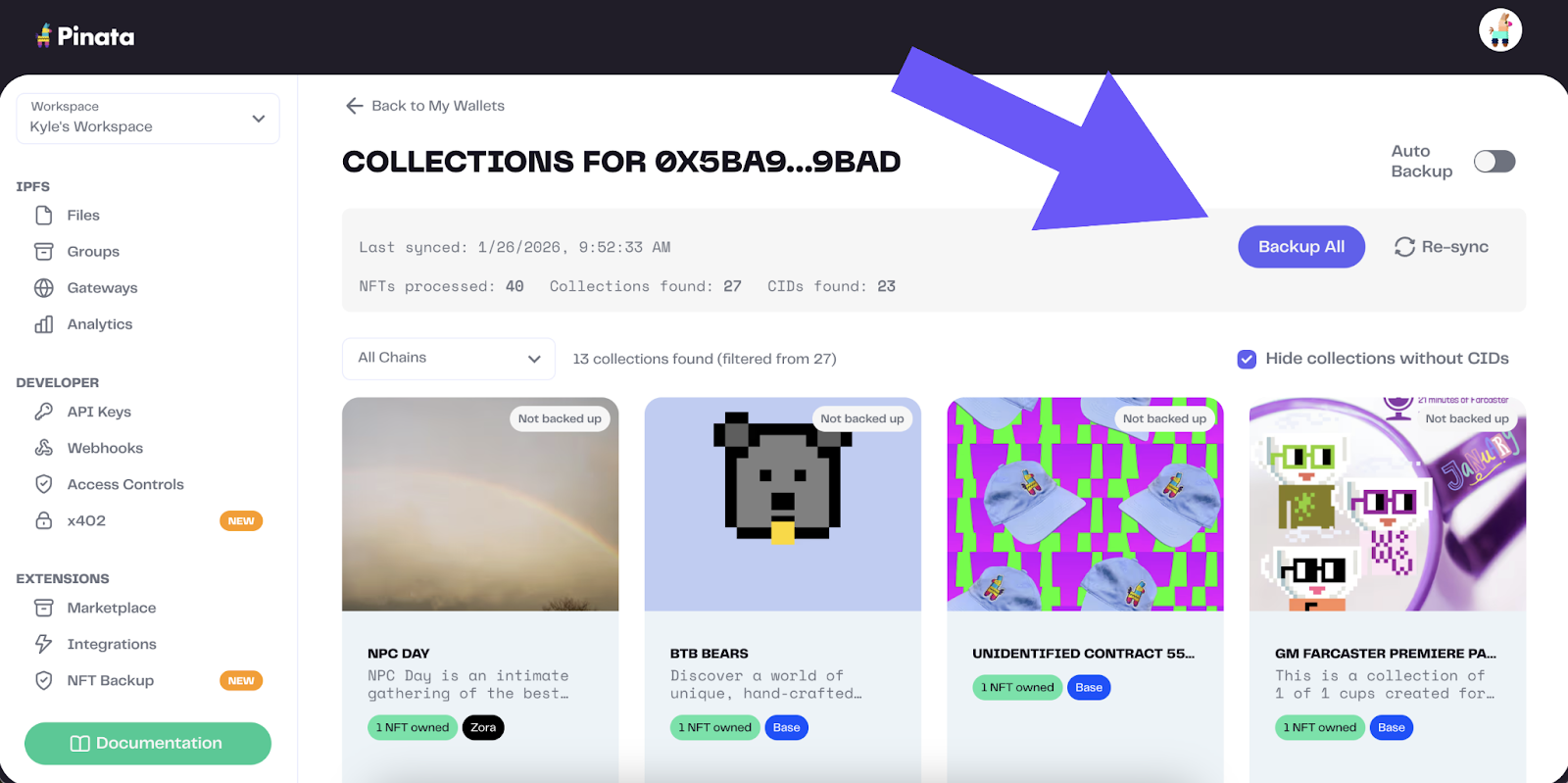
Once it’s done syncing, you’ll see all of the NFTs available to back up in your wallet. You can either back them up individually or simply click “Backup All”. Depending on how large your collection is, it may take a few minutes to back up.
Once it’s done backing up, you are all set! Your IPFS NFTs are now backed up and you can live worry free knowing that your NFT content will exist regardless of the creator or platform that minted them. In 2020, I wrote a blog titled Who is Responsible for NFT Data?. In it, I discuss the problems with traditional systems, how they were incompatible with NFTs, and how Pinata and IPFS could help creators, platforms, and owners of NFTs easily transfer responsibility over the lifespan of the NFT. It’s great to see the power of NFTs + IPFS in action to maintain ownership and control of the NFT content.